

The Instant Pot is the hottest cooking innovation to come along in a while. In this post, we’ll take a look at each of the Instant Pot buttons and note what they do.
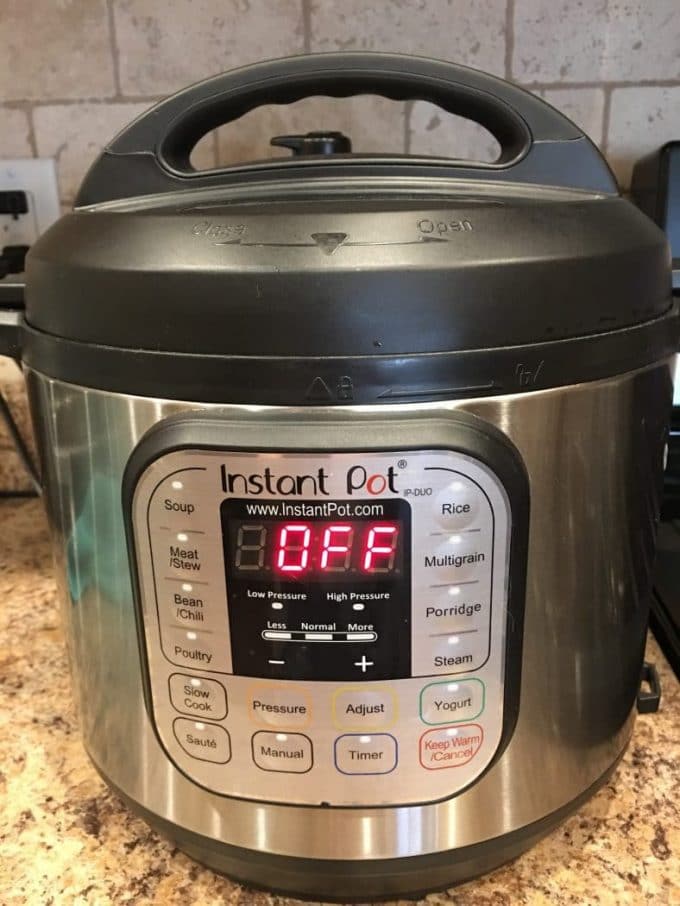
There are actually several versions of the Instant Pot. There are Ultra and Duo, Lux and Max and Mini. At last count, I believe there are 8 different types of Instant Pots.
Each has different benefits and as such, some have different buttons and can do different things.
Must Read: 15 Instant Pot Tips for New Users (and a FREE printable).
Instant Pot Buttons
Delay Start
Set the cooking function you are going to use and set the delayed start time of your choosing.
Keep Warm/Cancel
When the cooking time has ended, the Instant Pot will switch to Keep Warm. It will be kept at 145–172°F for up to 10 hours.
You’ll also push this button when you are ready to turn off the Instant Pot or when you need to cancel something.
Pressure
Switch between high and low pressure.
Adjust
Adjust cooking times to LESS and MORE. This is also the button that allows you to change the temperature for Slow Cook or Saute.
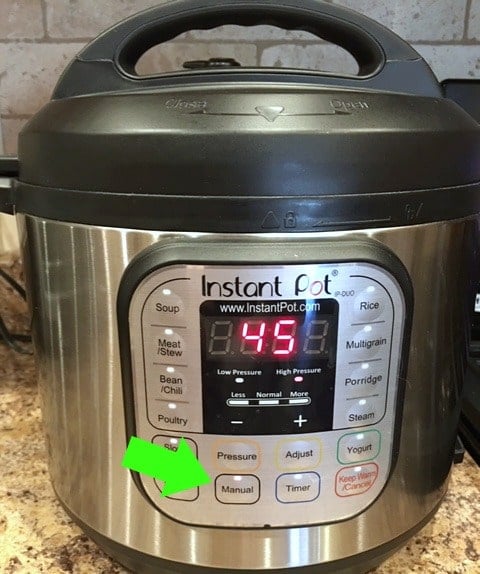
Manual/Pressure Cook
Press this button, then use the [+] and [-] buttons to change the cook time. You’ll hear a beep when it’s starting the pressure cooking.
Slow Cook
This button turns your Instant Pot into a slow cooker.
Saute
You can brown meats and saute vegetables using this setting. The really cool thing is that if you’re using the Slow Cooker setting, you can also use Saute to prep the meat and onions, for example.
Wait until it displays HOT before you start.
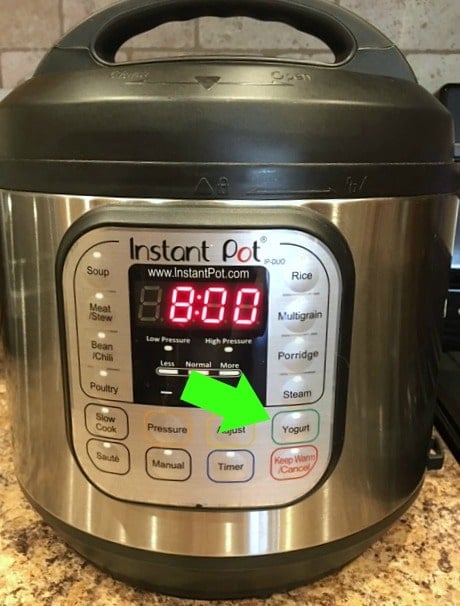
Yogurt
Yogurt is a little trickier than some of the other things you can make in your Instant Pot. It involves boiling the milk in the pot and incubating the yogurt. More on that soon!
Soup/Broth
Cooks at high pressure for 30 minutes. Try: Instant Pot Chicken Noodle Soup
Meat/Stew
Cooks at high pressure for 35 minutes. Try: Instant Pot Beef Stew
Bean/Chili
Cooks at high pressure for 30 minutes.
Poultry
Cooks at high pressure for 15 minutes.
Rice
Automatically adjusts cooking time based upon the weight of the rice.
Multigrain
For rice and grains that take longer to cook. It cooks at high pressure for 40 minutes.
Steam
High pressure for 10 minutes.
Cake
Cooks at high pressure for 30 minutes to make soft and moist cakes.
Egg
Cooks at high pressure for 10 minutes.
Less – Normal – More
Press the same cooking button repeatedly until you get to the setting you need.
[-] and [+] Buttons
Adjust the cooking times up or down.
Which Instant Pot Buttons Do You Use Most?
What version of the IP do you have? Are you glad you bought it, or are there things you wish you’d known beforehand?
[ratemypost]

Leave a Review!
We LOVE hearing from you! Submit your question or comment here.
Your email address will not be published.
124 comments on “Instant Pot Buttons for Beginners”
Feeling super intimidated…wanted one for months, finally bought b/c on sale. Now only used when my daughter cooks for me. Yes, she’s shown me several times!
My pot will not pressurize. What should I do?
Check your gasket is in place inside (did you take it out after you bought it?) Make sure the arrows on the lid and the pot are aligned. Check the dial that you have it set for pressure and not release.
Now that I see what it can do. I am going to purchase one. I’ve purchased “Snake oil” appliances only to see them in the swap shop within a month. This looks to be a real cooking cure.
I would love to have an InstaPot. Now that I know more about it, I will get one. Thank you.
Sweet potatoes and the little gourmet potatoes are sides we cook often. IP is the only way I cook hard boiled eggs now. Steel cut oats are delicious but not a spur of the moment breakfast.
Anxious to use my Pioneer Woman 6 at!
Thx
Slow cooker, manual and keep warm. I have used other ones though. Want to try yoghurt soon.
Why do the recipes linked Under the soup and stew buttons not use those buttons??
Pressure button is the one that says Pressure. If it still doesn’t work the replace your seal (first make sure it is clean)! You either didn’t turn it on pressure or you have lost pressure. Find out let me know…. lid my not be on right as well..
Do you have instructions for the AIR Fryer. How to use it?
Yes! Go here –> https://kitchenfunwithmy3sons.com/air-fryer-tips/
I really like my IP. It was a gift. The thing I like most about it is if I use it as a slow cooker and I get home and things aren’t quite done I use the pressure cooker function!