

The Instant Pot is the hottest cooking innovation to come along in a while. In this post, we’ll take a look at each of the Instant Pot buttons and note what they do.
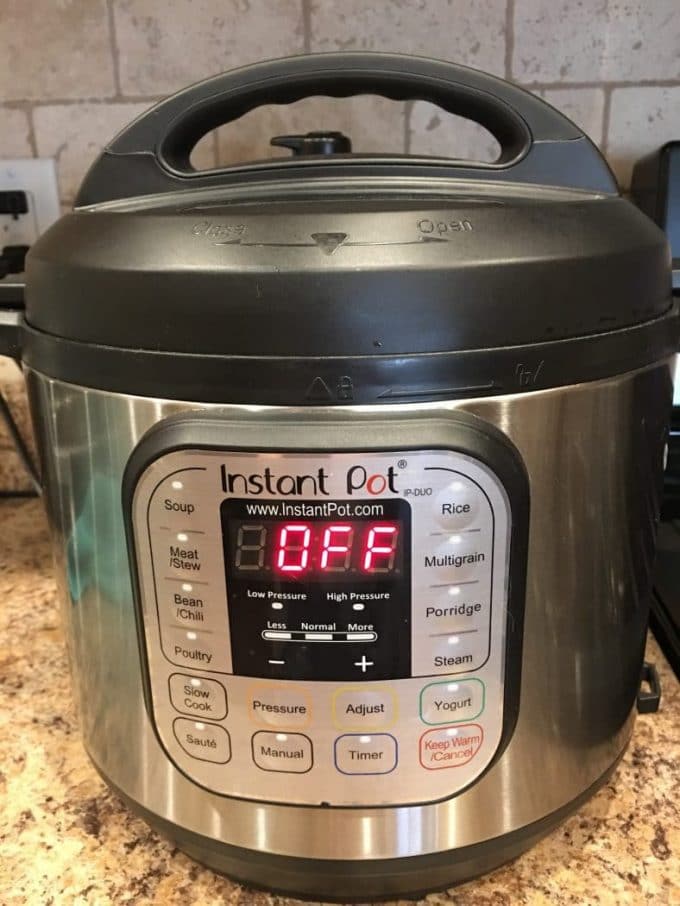
There are actually several versions of the Instant Pot. There are Ultra and Duo, Lux and Max and Mini. At last count, I believe there are 8 different types of Instant Pots.
Each has different benefits and as such, some have different buttons and can do different things.
Must Read: 15 Instant Pot Tips for New Users (and a FREE printable).
Instant Pot Buttons
Delay Start
Set the cooking function you are going to use and set the delayed start time of your choosing.
Keep Warm/Cancel
When the cooking time has ended, the Instant Pot will switch to Keep Warm. It will be kept at 145–172°F for up to 10 hours.
You’ll also push this button when you are ready to turn off the Instant Pot or when you need to cancel something.
Pressure
Switch between high and low pressure.
Adjust
Adjust cooking times to LESS and MORE. This is also the button that allows you to change the temperature for Slow Cook or Saute.
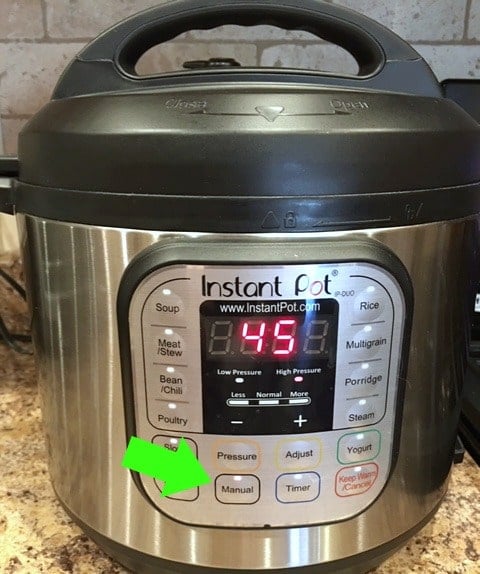
Manual/Pressure Cook
Press this button, then use the [+] and [-] buttons to change the cook time. You’ll hear a beep when it’s starting the pressure cooking.
Slow Cook
This button turns your Instant Pot into a slow cooker.
Saute
You can brown meats and saute vegetables using this setting. The really cool thing is that if you’re using the Slow Cooker setting, you can also use Saute to prep the meat and onions, for example.
Wait until it displays HOT before you start.
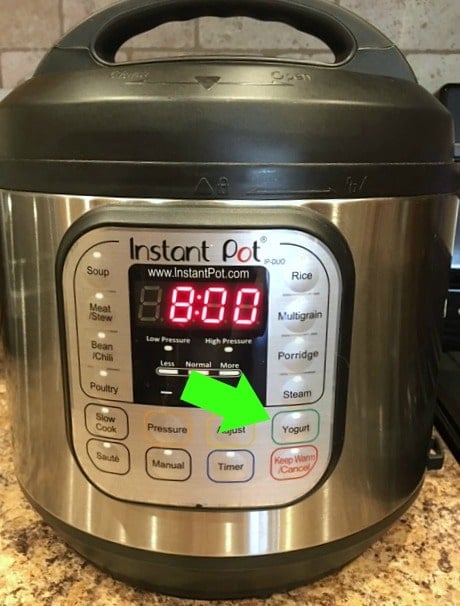
Yogurt
Yogurt is a little trickier than some of the other things you can make in your Instant Pot. It involves boiling the milk in the pot and incubating the yogurt. More on that soon!
Soup/Broth
Cooks at high pressure for 30 minutes. Try: Instant Pot Chicken Noodle Soup
Meat/Stew
Cooks at high pressure for 35 minutes. Try: Instant Pot Beef Stew
Bean/Chili
Cooks at high pressure for 30 minutes.
Poultry
Cooks at high pressure for 15 minutes.
Rice
Automatically adjusts cooking time based upon the weight of the rice.
Multigrain
For rice and grains that take longer to cook. It cooks at high pressure for 40 minutes.
Steam
High pressure for 10 minutes.
Cake
Cooks at high pressure for 30 minutes to make soft and moist cakes.
Egg
Cooks at high pressure for 10 minutes.
Less – Normal – More
Press the same cooking button repeatedly until you get to the setting you need.
[-] and [+] Buttons
Adjust the cooking times up or down.
Which Instant Pot Buttons Do You Use Most?
What version of the IP do you have? Are you glad you bought it, or are there things you wish you’d known beforehand?
[ratemypost]

Leave a Review!
We LOVE hearing from you! Submit your question or comment here.
Your email address will not be published.
124 comments on “Instant Pot Buttons for Beginners”
I haven’t even used it because it’s so confusing!
How do you cook noodles or pasta in ip
I received an Insta pot ultra I believe it is, for Christmas need to watch some good videos on how to use it any suggestion?
What does it mean when a recipe wants you to use 12psi?
I can’t figure out how to make the time go past 4 minutes
Mines stops there
I can’t figure out how to set timer on pressure to more than 1/2 hour! I get so frustrated that I just put it back in the cupboard & cook old=style! If it cooks in 1/2 or less, it’s good.
My Duo doesn’t have a Manual setting yet all the recipes I’ve looked at say, “press manual…” Not sure how to convert the recipes.
Mine is like yours. Instead of the “Manual” button, yours and mine have the “Pressure Cook” button. They perform the same function. Only “Pressure Cook” makes more sense, so the NEWER models are sold with that button now. However, judging just by the number of blogged recipes, can you imagine how many “Manual” button models must have been sold beforehand?
Same here. Press “pressure cook” button and then click on + or – to “manually”put in cooking time as listed.
I have the DUO instant pot 6 quart
i need instructions for the T_F/afal
I make tamales, how do I cook them and how long.